One product workflow. Every customer-education format.
Turn a single recording into a guide, interactive demo, walkthrough video, and Walk Live experience.


Founding pilot: send one workflow, receive four editable formats within 48 hours after access is confirmed.
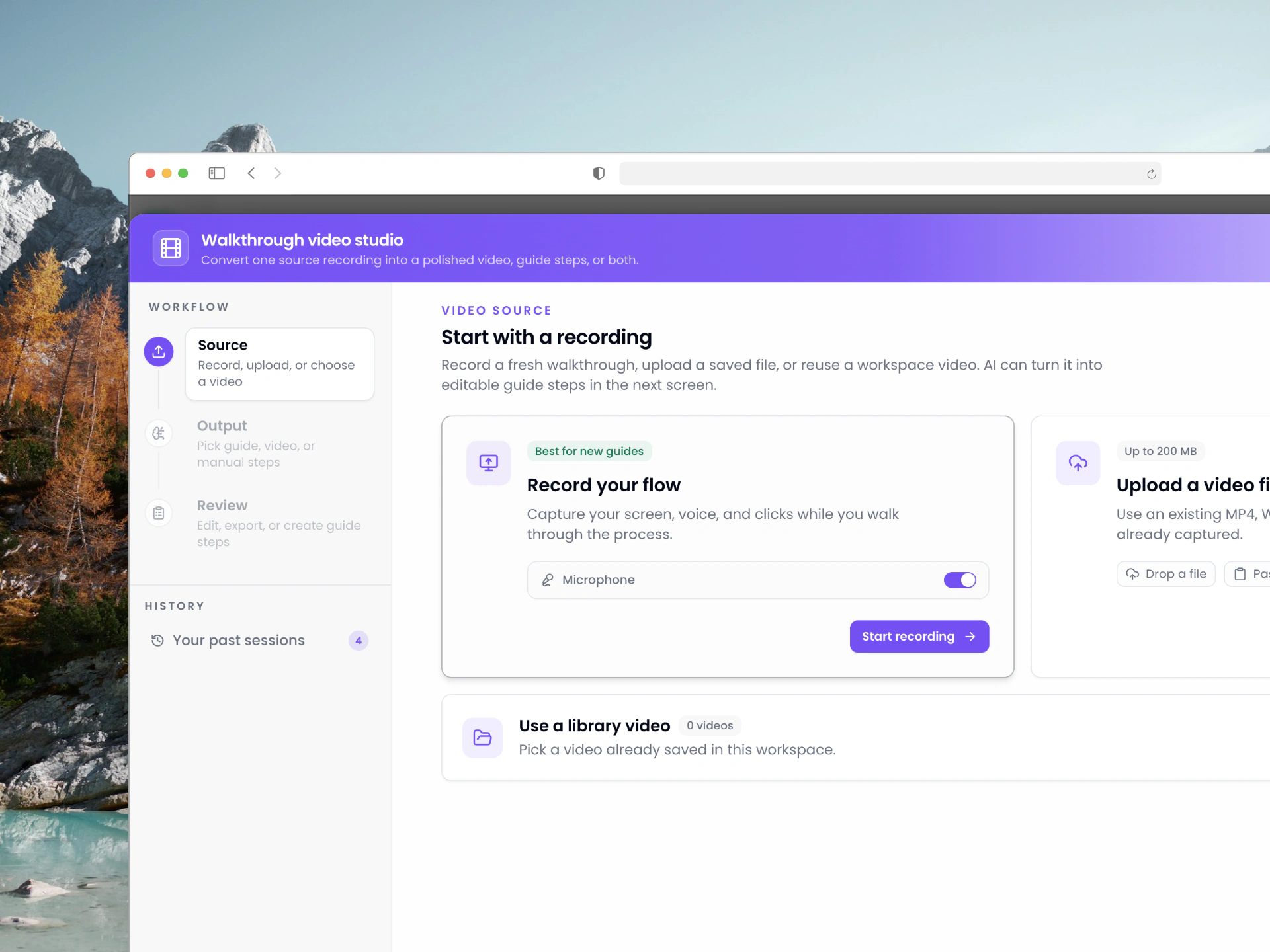
Workflow guidance for every repeatable process
Give each team a faster way to explain software tasks, answer support questions, onboard customers, and guide users inside the app.
Operations
Repeatable SOPs
Customer success
Guided handoffs
Internal enablement
Team playbooks
Product support
Clear answers
Training
Visual lessons
Implementation
Setup flows
QA teams
Repro steps
Agencies
Client portals
One workflow, shaped for how customers learn.
Create the guide, interactive demo, walkthrough video, and Walk Live experience from the same reviewed source.
Guide
Clear, editable steps customers can follow.
Interactive demo
A clickable product story customers can explore.
Walkthrough video
A polished version of the workflow customers can watch.
Walk Live
Guidance that runs inside the real product workflow.
Package each output for the customer moment.
A Room, Help Center, or embed is where the formats live. Capture the workflow once, then put the guide, demo, video, and Walk Live experience where customers need them.
From workflow recording to live help
Move from raw walkthrough to useful guidance without rebuilding the same instructions by hand.
Start with the real process
Record your screen, upload a walkthrough, or create manually so documentation begins from actual work.
Make AI output usable
Review generated steps, snippets, captions, media, and annotations before anything is published.
Keep guidance current
Guide health signals flag walkthroughs when live targets drift, so outdated help does not stay hidden.
A plan for each stage of your team
Start free, choose Pro Solo for one creator, or add included creator seats and higher distribution allowances with Team and Business.
Free
Create and share your first guides with all passive formats included.
- 5 guides with 5 included steps each
- 10 AI credits every month
- Guides, demos, web video, share links, and embeds
- 1 branded Room for prospects or customers
- Walk Live preview in your own editor
No credit card required
Pro Solo
For one professional creator publishing unlimited guides and videos.
or €24.17/mo billed yearly
Everything in Free, plus:
- Unlimited guides with Unlimited steps
- 100 AI credits / month — analysis, narration, translation
- 1 help-center portal and 5 Rooms
- Remove “Built with Steperly” branding
- Flow editor for branching walkthroughs
- MP4 export and Walk Live on 1 domain
Cancel anytime
Team
For a small team collaborating on guides, portals, Rooms, and Walk Live.
or €65.83/mo billed yearly
Everything in Pro Solo, plus:
- 500 AI credits / month for the whole workspace
- 5 help-center portals and 25 Rooms
- 1 custom domain and submission webhooks
- Walk Live on 3 domains for 5,000 guided users
- Priority support
Business
For larger enablement teams with higher usage, governance, and distribution needs.
or €165.83/mo billed yearly
Everything in Team, plus:
- 2,000 AI credits / month for the workspace
- 20 help-center portals and Unlimited Rooms
- 5 custom portal domains
- Walk Live on 10 domains for 25,000 guided users
- 10,000 Portal AI answers / month
Quick answers before you start
The basics on creating, sharing, and using Steperly across teams.
What is Steperly?
Steperly helps teams record a workflow once and turn it into a guide, interactive demo, walkthrough video, and Walk Live experience. Those outputs can be shared directly or packaged in Rooms, Help Centers, and embeds.
Can I create a guide from a video?
Yes. Upload or record a walkthrough, let Steperly detect important moments from timing and interactions, then turn the result into editable guide steps, a polished video version, or both.
Do viewers need a Steperly account?
No. Published guides and portals can be shared with the people who need them, while your workspace stays private.
Can I use Steperly for internal and customer docs?
Yes. Guides can be shared directly, grouped in help centers, and launched as live in-app walkthroughs where users already work.
Can I publish in another language?
Yes. The video-to-guide workflow can use the source language and create guide output for the audience you need.
Send one workflow. Get four formats back.
We will create and QA a guide, interactive demo, walkthrough video, and Walk Live plan, then package the work in a branded Room.
Five founding-pilot spots · Editable outputs · Yours to keep